
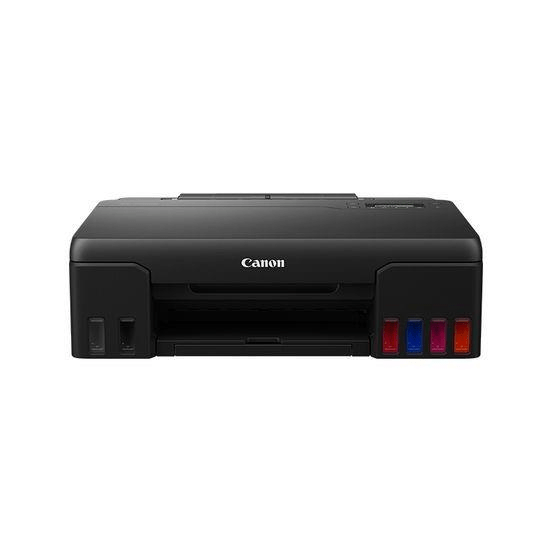

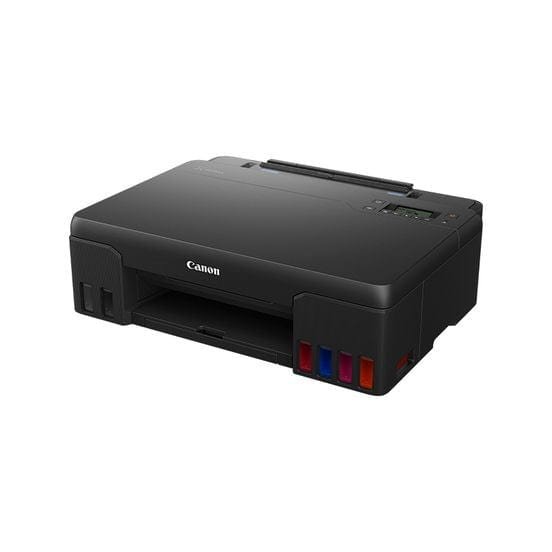
Canon PIXMA G540 Wireless A4 Inkjet Printer 4621C009
R2,150.00
Out of stock
Canon PIXMA G540 Wireless A4 Inkjet Printer 4621C009 Single function printer with six refillable dye-based ink tanks, for high quality photo printing with the ability to produce high volumes at extremely low cost. The Canon PIXMA G540 is perfect for printing large volumes of high-quality borderless
Description
Reviews (0)
Q & A
Canon PIXMA G540 Wireless A4 Inkjet Printer 4621C009 Single function printer with six refillable dye-based ink tanks, for high quality photo printing with the ability to produce high volumes at extremely low cost. The Canon PIXMA G540 is perfect for printing large volumes of high-quality borderless photos up to A4 size in a studio, at home or in the office. Total cost of ownership is reduced with this high-volume printer thanks to the six refillable dye-based ink tanks that last longer between refills. When the time comes to change inks, the process is error-free and mess-free thanks to the non-squeeze bottles with mechanical ID. The maintenance cartridge is also simple to replace at home or in the studio, minimising downtime on busy days. You’ll save time as you can print from your phone or tablet using the Canon PRINT App, Mopria or AirPrint, or connect via Wi-Fi to your devices. High volume, high standards, low costs For printing large quantities of high-quality images at low cost, the PIXMA G540 offers simplicity, versatility and brilliant print quality. High-volume photo printing High-volume ink tanks enable high page yields: one set of bottles can print around 3,800 4×6 photo prints, meaning fewer bottle refills Enhanced Media support Improved feed accuracy and capacity across a wide variety of photo papers, auto print head alignment and more accurate droplet placement Features Additional red and grey inks enhance the colour gamut and minimise colour shift for accurate colour results Print high-quality borderless photos up to A4 size Enjoy easy, wireless printing through Wi-Fi, the Canon PRINT app, Mopria or AirPrint Minimise downtime in busy studio or business environments with a user-replaceable maintenance cartridge Get a high page yield from just one set of ink bottles – print 3,800 4×6” photos from each set No waiting around with fast photo print speeds just 47 seconds to print a 4×6” photo Get creative with different media: this printer is compatible with magnetic, iron-on, restickable and matte paper Rear-feed capacity for up to 100 sheets at a time Easy to use, the 2-line LCD allows users to access information and adjust settings effortlessly, while automatic power off saves energy Compatible with Windows, Chrome OS and Mac OS Specifications Model Numbers: PIXMA G540 Functions: Wi-Fi, Print & Cloud Print Resolution: Up to 4800 x 1200 dpi Print Technology: 2 FINE Print Heads (Left : BK/R/Gy, Right : C/M/Y),Refillable ink tank printer Mono Print Speed: approx. 3.9 ipm Colour Print Speed: approx. 3.9 ipm Photo Print Speed: Borderless 10x15cm: Approx. 47 seconds Borderless Printing: Yes: A4, LTR, 10x15cm, 13x18cm, 18x25cm, 20x25cm, Square 127mm x 127mm, Square 89 mm x 89 mm, Card Size 55mm x 91 mm Two Sided Printing: Manual operation Display Type & Size: Full Dot LCD (Monochrome) Standard Interface: Hi-Speed USB (USB B Port); Wi-Fi: IEEE802.11 b/g/n/a; Wi-Fi Security: WPA-PSK, WPA2-PSK, WEP, Administration password; Wireless LAN Frequency Band: 2.4 GHz; PictBridge Wi-F
Add a review
You must be logged in to post a review
Log In
Q & A
Ask a question
There are no questions yet
Viewers Also Liked

In stock
R450.00
Canon CLI-451C XL Cyan Printer Ink Cartridge Original 6473B001 Single-pack
SKU: 6473B001
In stock
R420.00
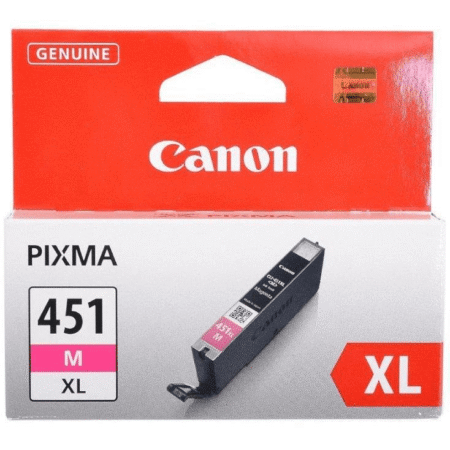
Canon CLI-451M XL Magenta Printer Ink Cartridge Original 6474B001 Single-pack
SKU: 6474B001

In stock
R2,499.00
Canon 067H Black Toner Cartridge 3,130 Pages Original 5106C002 Single-pack
SKU: 5106C002

In stock
R450.00
Canon CLI-451Y XL Yellow Printer Ink Cartridge Original 6475B001 Single-pack
SKU: 6475B001
In stock
R380.00
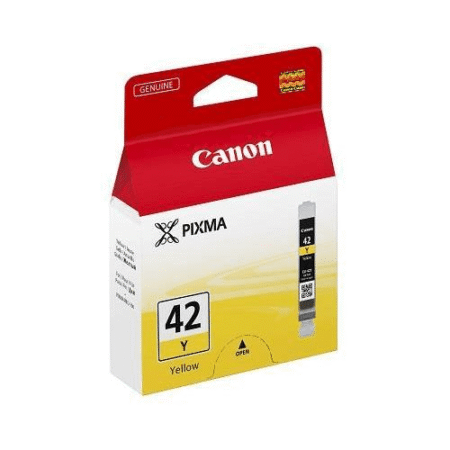
Canon CLI-42 Yellow Standard Yield Printer Ink Cartridge Original 6387B001 Single-pack
SKU: 6387B001

In stock
R470.00
Canon PGI-450PGBK XL Pigment Black Printer Ink Cartridge Original 6434B001 Single-pack
SKU: 6434B001

In stock
R3,399.00
Canon 057 Black Toner Cartridge 3,100 Pages Original 3009C002 Single-pack
SKU: 3009C002

In stock
R3,999.00
Canon i-SENSYS MF275dw A4 Multifunction Wi-Fi Laser Printer 5621C001
SKU: 5621C001
In stock
R2,250.00
Canon 737 Black Toner Cartridge 2,100 Pages Original 9435B002 Single-pack
SKU: 9435B002

In stock
R190.00
Canon GI-41M Magenta Refill Ink Bottle Inkjet Original 7700 Pages 4544C001
SKU: 4544C001
Reviews
There are no reviews yet